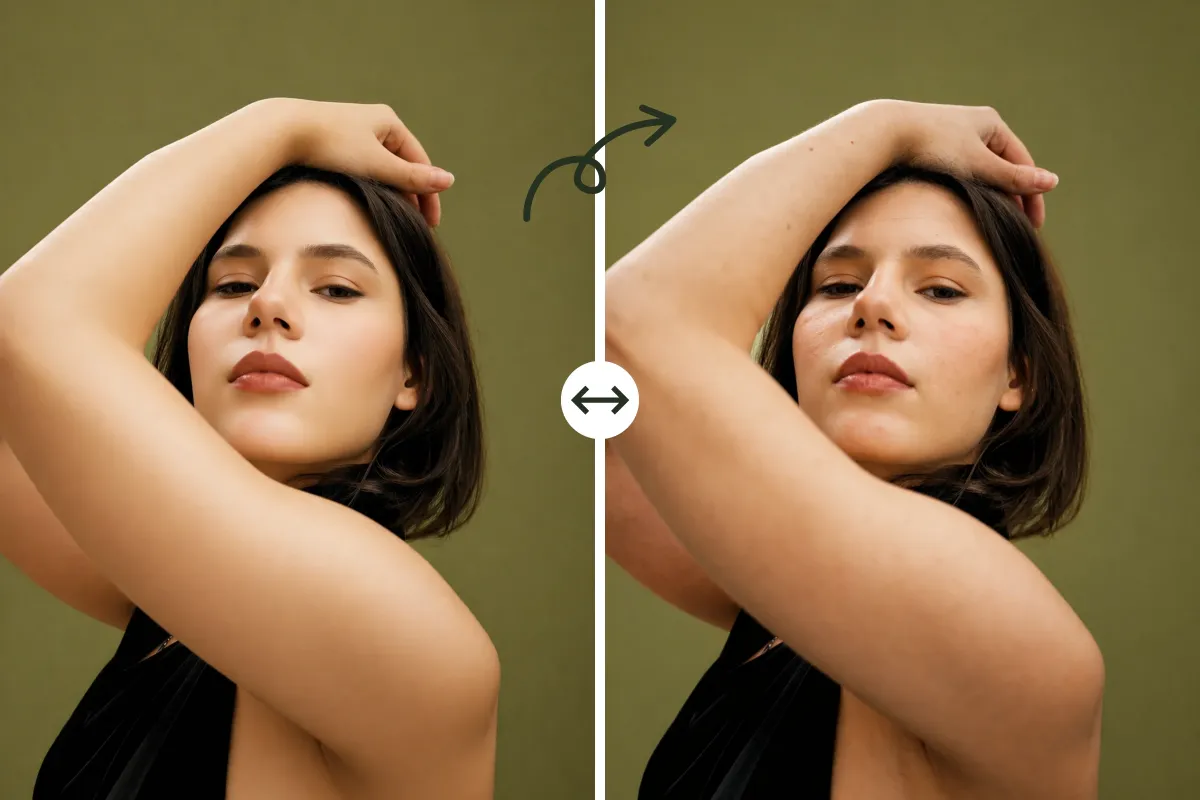
AI Skin Texture Generator: Add Realistic Details to Photos
How To Use The AI Skin Texture Tool
Learn how AI Skin Texture works, from uploading a portrait to choosing a realism style and generating more natural-looking skin details in seconds.
Upload Your Portrait
Upload a clear portrait photo. AI Skin Texture works best on images where the skin looks overly smooth, artificial, or lacks natural variation. Clear lighting and visible facial details will help AI Skin Texture generate more accurate results.
Choose A Realism Style
Select a style based on the type of skin detail you want to restore. AI Skin Texture offers multiple modes such as adding pores, wrinkles, freckles, and natural surface texture.
Generate A More Realistic Result
Click Enhance Your Skin and let AI Skin Texture process your image. Within seconds, AI Skin Texture reconstructs natural skin texture. You can download the result or try different modes to compare outputs.
Why Use AI Skin Texture For
Realistic Skin Enhancement
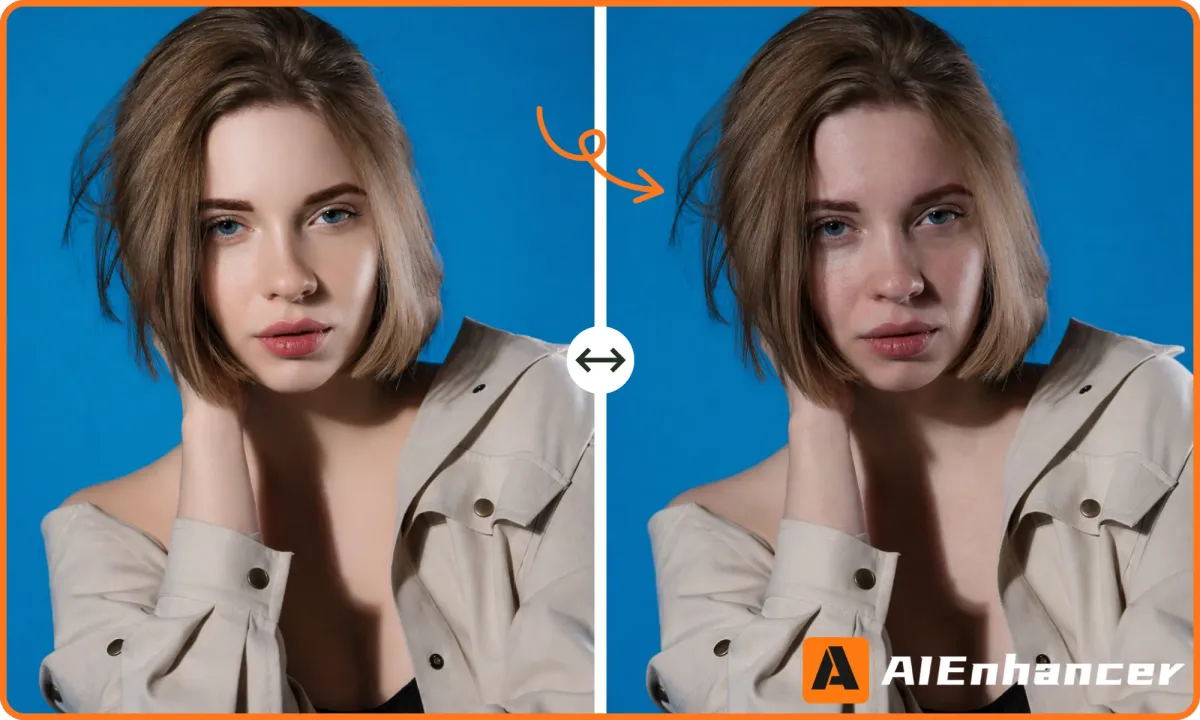
AI Skin Texture helps restore realistic skin details that are often lost in AI-generated or over-edited portraits, making images look more natural and believable.
Restore Natural Skin Details
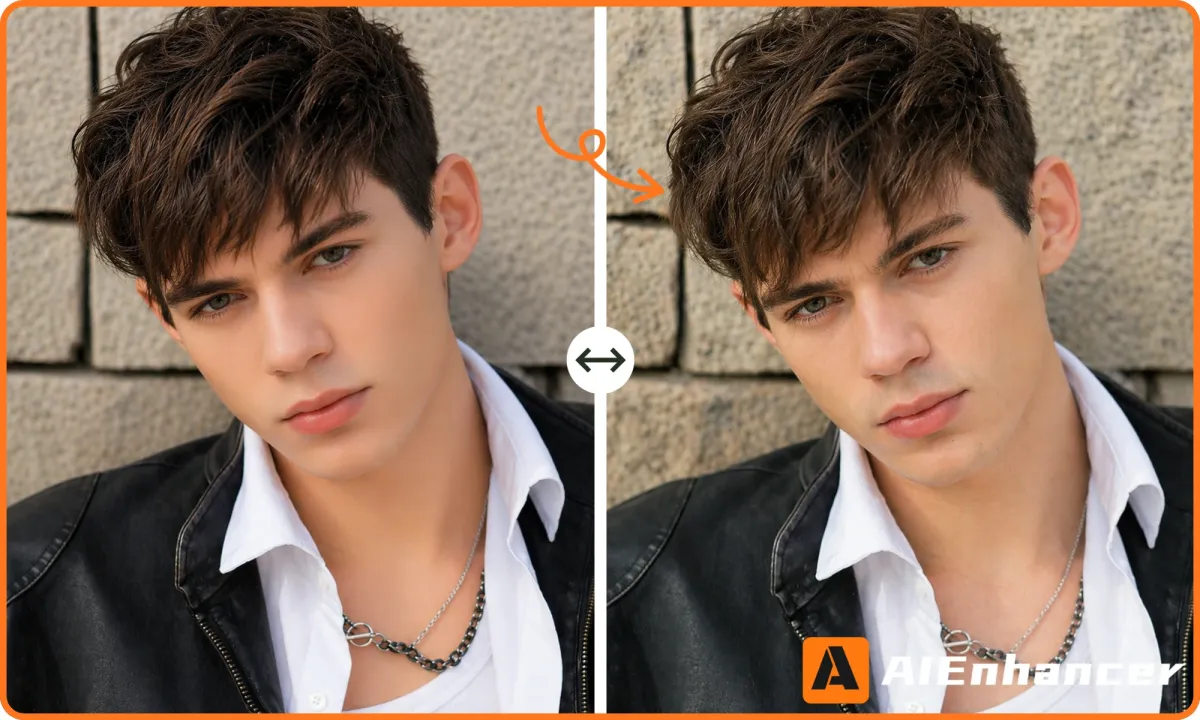
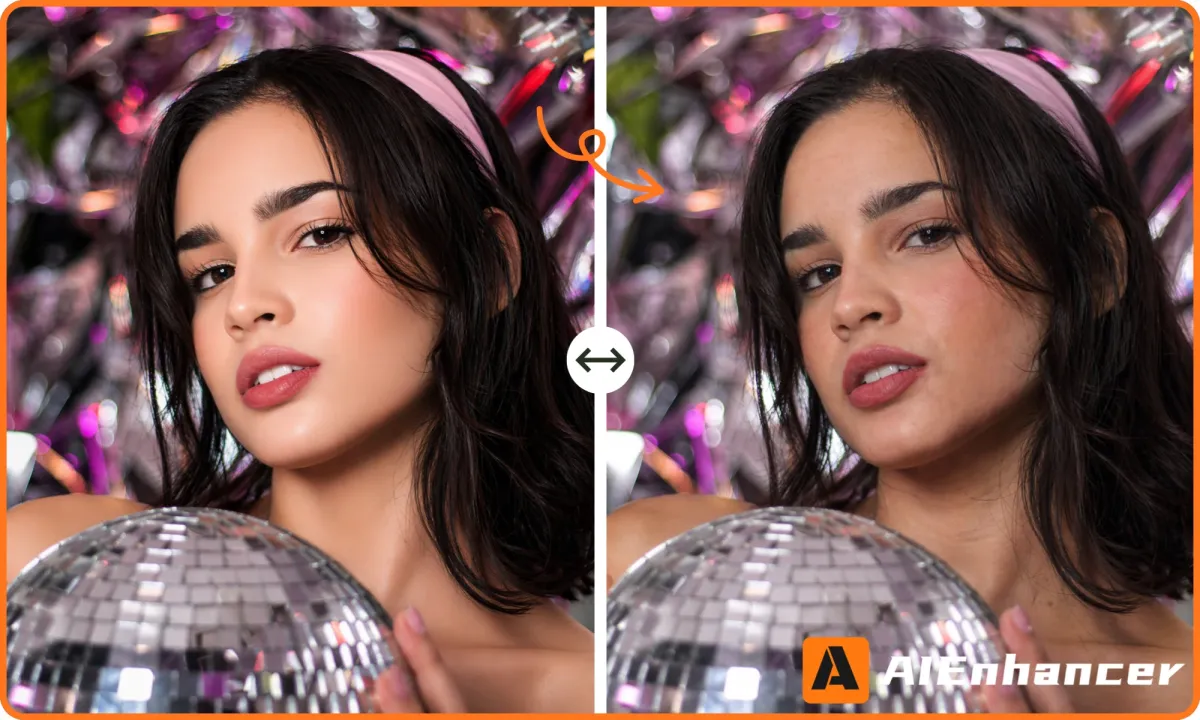
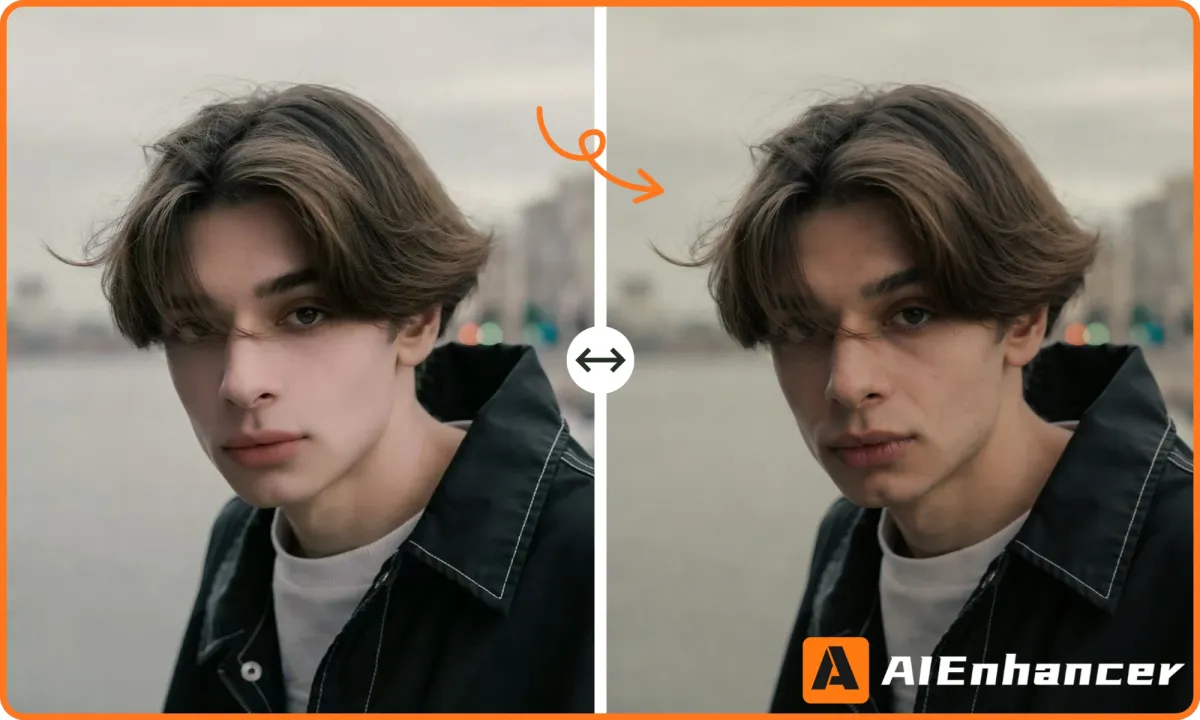
AI Skin Texture brings back pores, fine lines, and subtle texture that are often lost in editing or AI generation. This helps images feel more lifelike and less processed.
Eliminate the "Plastic" AI Look
Many AI-generated faces suffer from uniform, overly clean surfaces. We break this up by adding controlled, organic variation.
Flexible Detail Control
AI Skin Texture offers multiple styles to adjust different aspects of realism, from freckles to wrinkles to skin surface texture, giving users precise control.
Preserve Identity And Composition
AI Skin Texture does not alter facial structure, proportions, or lighting. It only enhances surface-level details while keeping the original image intact.
Practical Use Cases For AI Skin Texture
Explore how AI Skin Texture can be used in different scenarios, from improving AI portraits to creating more authentic visuals for content, design, and social media.
Authentic Social Content
AI Skin Texture helps create portraits that feel natural and relatable, which can improve engagement compared to overly edited images.
Real User Experiences With AI Skin Texture
See how users are using AI Skin Texture to make portraits feel less artificial and more realistic across creative, professional, and everyday projects.




AI Skin Texture FAQs
Get clear answers about how AI Skin Texture works, what kinds of details it adds, and when to use it to improve realism in portrait images.
What is AI Skin Texture?
AI Skin Texture is a tool designed to enhance realism by adding natural skin details such as pores, fine lines, and subtle imperfections to portrait images.
Does this tool act like a beauty filter?
No, it does the exact opposite. While traditional filters over-smooth and blur details, our AI restores depth, clarity, and organic character to prevent a synthetic appearance.
What types of images work best?
It works best on portraits that appear overly processed, AI-generated, or heavily retouched. Images with clear lighting and visible facial structure usually produce better results.
Can I control the type of detail added?
Yes. You can choose different styles such as pores, wrinkles, freckles, or surface texture, depending on how natural or detailed you want the result to look.
Will it change facial features or identity?
No. The tool preserves identity, proportions, and composition. It only enhances surface-level skin details without altering the structure of the face.
Why would I want to add imperfections to a photo?
Perfect skin often looks unnatural, especially in AI-generated images. Adding controlled imperfections helps create a more believable and visually authentic result.
Is it suitable for professional use?
Yes. AI Skin Texture is commonly used in design, marketing, and content creation where realistic visuals are important.
Achieve Professional Realism - Eliminate
the "Plastic" Look
Ready to make portraits look more natural? Use AI Skin Texture to add realistic skin details and reduce the overly smooth, artificial look in just a few clicks.
Try AI Skin Texture Now