Compress Image to 100 KB Online - Free Image Compressor
How to Use Our Tool to Compress Image to 100 KB
Compress image to 100 KB in three simple steps with our tool - upload, set 100 KB, then compress and download.
Upload your image
Click the upload button or drag and drop your file. Our tool supports JPG, PNG, and WebP, and works with photos, scans, screenshots, and graphics.
Set 100 KB as your target
In the options, choose the preset to compress image to 100 KB or adjust slightly above or below if needed, then confirm the suggested settings.
Compress and download
Click compress and let our tool optimize your image. Preview the result, then download your compressed image and use it for emails, forms, or websites.
Why Choose Our Tool To Compress Image To 100 KB
There are many compressors online, but AIEnhancer is built to balance file size, clarity, and ease of use.

AI powered quality preservation
Keep fine details, natural faces, and color balance even when you compress image to 100 KB.

Exact size for strict limits
Set target sizes for IDs, resumes, or online forms. Our tool ensures you compress image to 100 KB without guessing or multiple downloads.

Fast, simple, and free
No registration or complex settings - compress image to 100 KB directly in your browser in seconds.

For personal and professional use
Ideal for students, job seekers, marketers, designers, and business teams who need to compress image to 100 KB while keeping quality high.
Where Our Tool Helps You Compress Images Fast
AIEnhancer works for a variety of users and scenarios, making it easy to compress image to 100 kb quickly.
Compress Your Image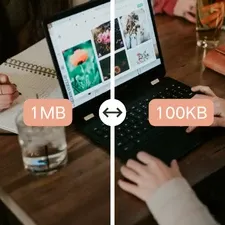
Website Owners and Bloggers
Compress blog images, banners, screenshots or infographics to keep pages fast, responsive and SEO-friendly without losing visual quality.
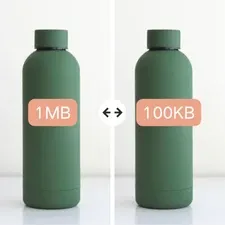
E-Commerce and Product Listings
Shrink product images to meet marketplace limits, keep labels readable, and improve page loading speed, enhancing user experience and conversions.
Students and Office Work
Prepare slides, online submissions or scanned documents by reducing image size while keeping all visuals intact. Simply compress image to 100 kb and maintain clean files.
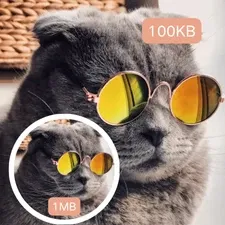
Social Media and Messaging
Optimize profile pictures, event posters or memes for faster uploads. Control image quality before sharing, avoiding blurry results from automatic compression.
What Users Say About Our Tool
Our tool makes it easy for professionals, students, and creatives to quickly compress image to 100 kb without losing quality.



Questions You Might Be Interested in During Use
Answers to common questions about AIEnhancer, making your image optimization experience smooth and easy.
What does "compress image to 100 KB" mean?
It means reducing the file size of your image to around 100 kilobytes without altering the actual content. AIEnhancer smartly adjusts quality, resolution, and encoding so the image remains as clear as possible at a smaller size.
Will my image lose quality after compression?
Compression can affect quality, but AIEnhancer minimizes that impact. It preserves important details and natural colors, and in most cases you will notice little to no visible difference even after compressing your image to 100 KB.
Which formats are supported?
AIEnhancer supports common formats such as JPG, JPEG, and PNG. These can be uploaded directly and compressed to 100 KB without any extra conversion steps.
Is AIEnhancer free to use?
Yes. AIEnhancer provides free online compression for regular use. You can upload your file and compress images to 100 KB at no cost. Additional options may exist for heavier usage, but the core service remains free.
Is it safe to upload my images?
AIEnhancer handles your images securely and does not use them for training or sharing. Files are processed only for compression, and you retain full ownership of your content.
Do I need to install any software?
No installation is required. AIEnhancer runs directly in your browser and works on Windows, macOS, and mobile devices as long as you have a modern browser and an internet connection.